Convert ERP procedures
into standardized process manuals
iGenflow helps teams quickly turn procedures from internal business and production systems into clear, standardized process manuals.
%22%20stroke%3D%22%23FAA360%22%20stroke-width%3D%223%22%2F%3E%0A%20%20%20%20%3C%2Fsvg%3E)
Production material issue procedure
 /Created/Issue materials to a production work order
Issue materials to a production work order
A released work order needs four BOM components moved from production inventory to the assembly line.
- Work order
- WO-2026-0718
- Product
- Atlas X100 Controller
- Quantity
- 240 EA
- Result
- MI-2026-1842
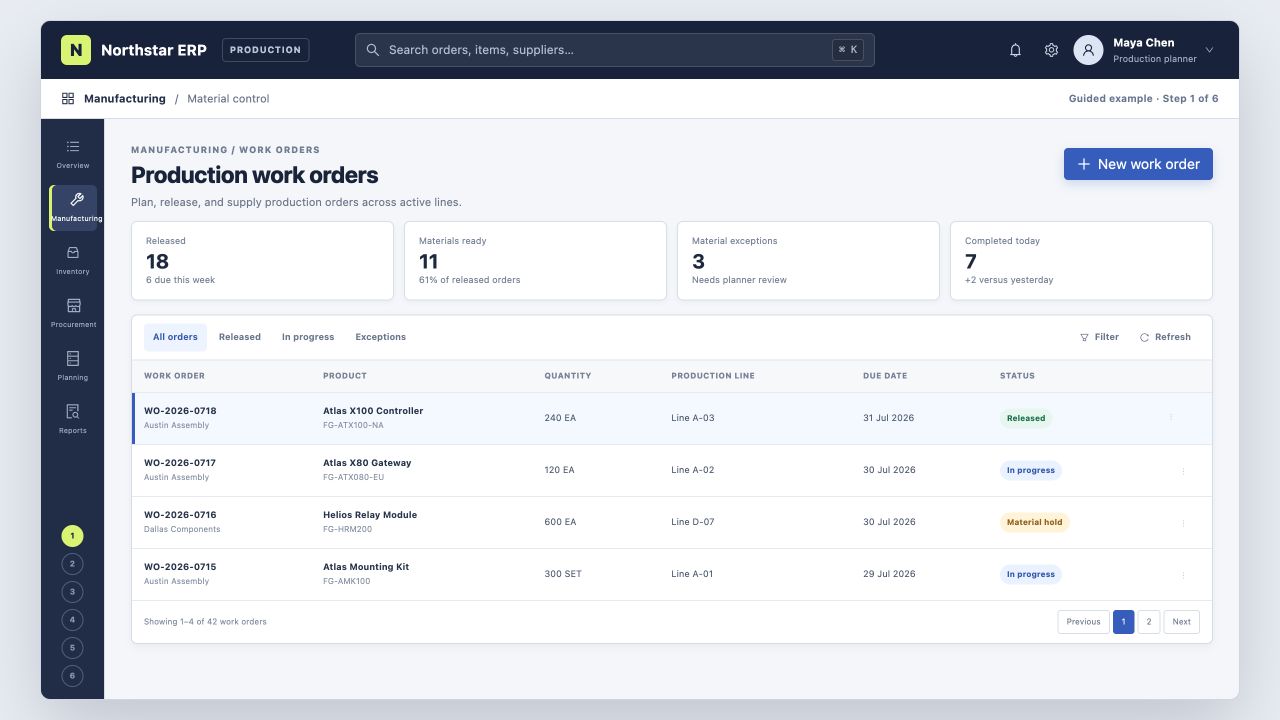
Find the released work order
Open WO-2026-0718 and confirm its due date, quantity, and production line.
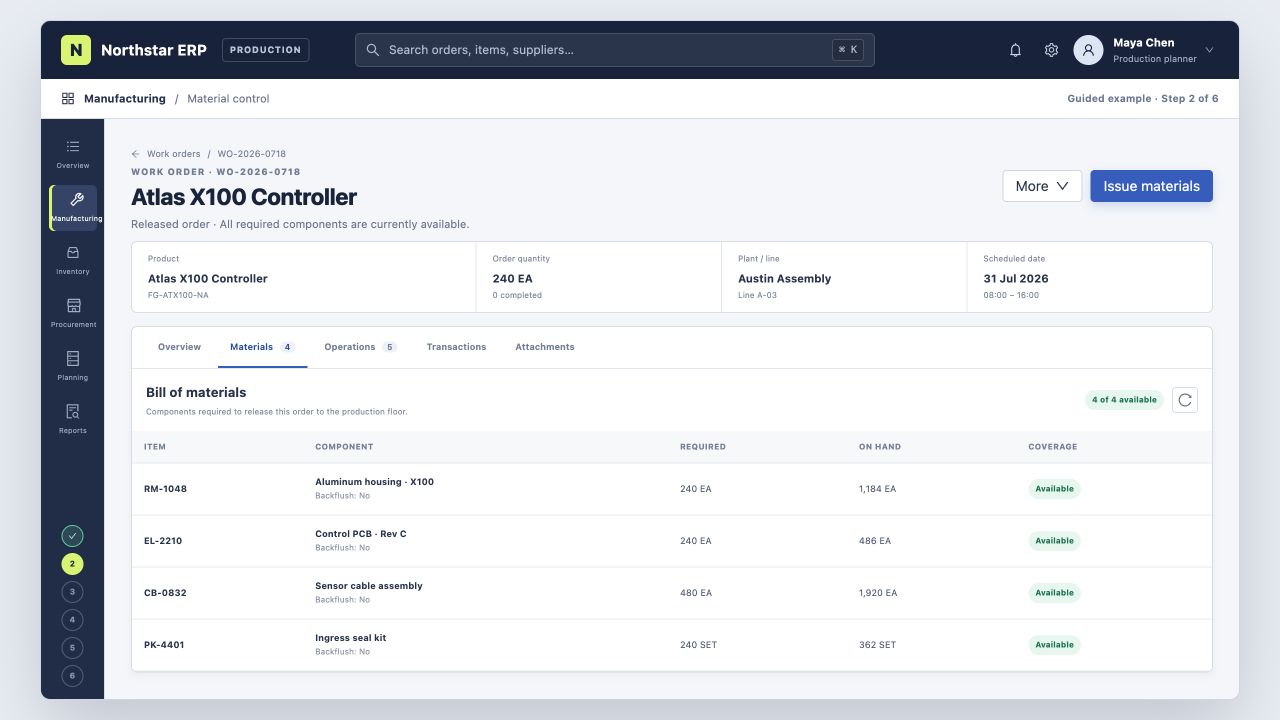
Review the BOM and stock
Check the four required components against current on-hand inventory.
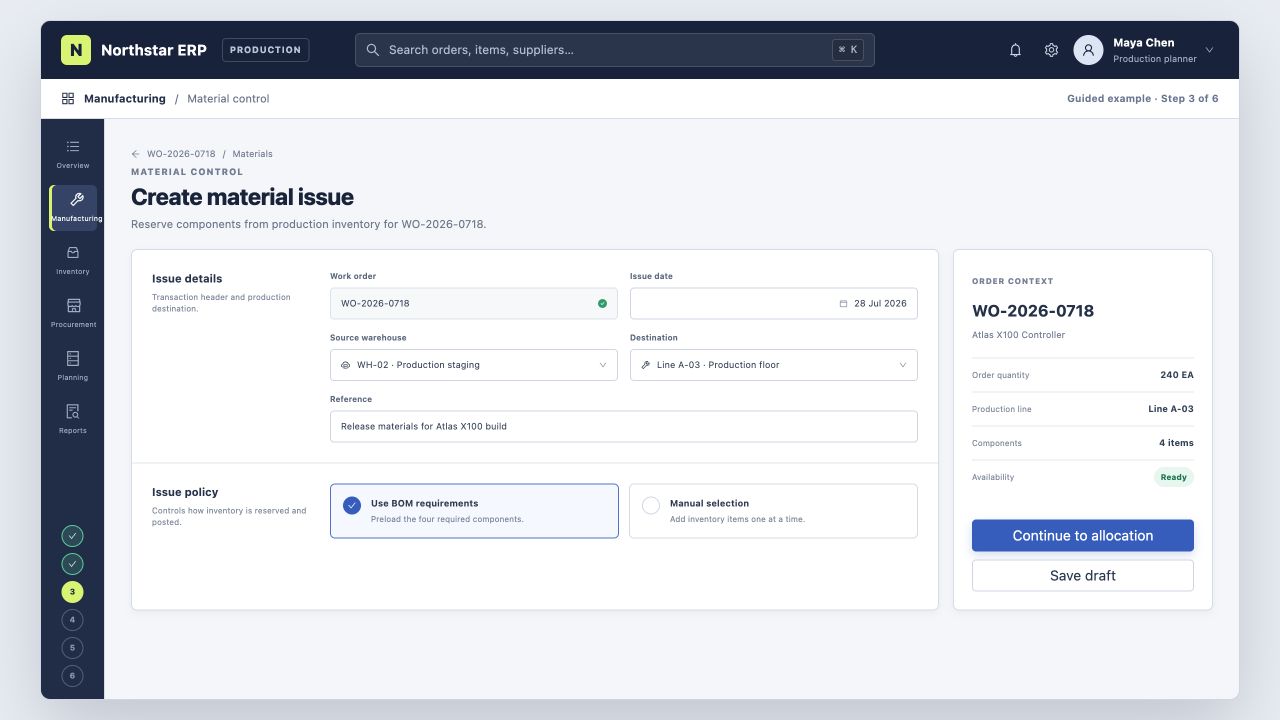
Create the material issue
Choose WH-02 as the source warehouse and Line A-03 as the destination.
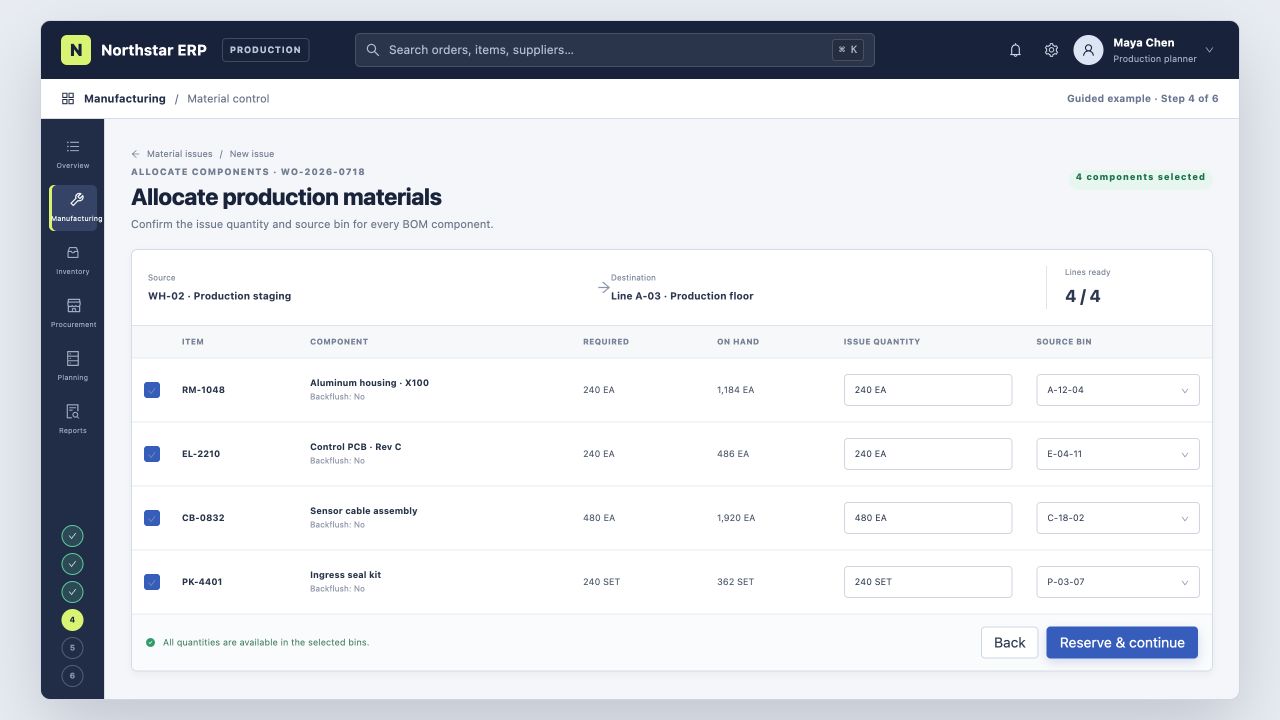
Allocate each component
Confirm issue quantities and source bins for the housing, PCB, cables, and seal kits.
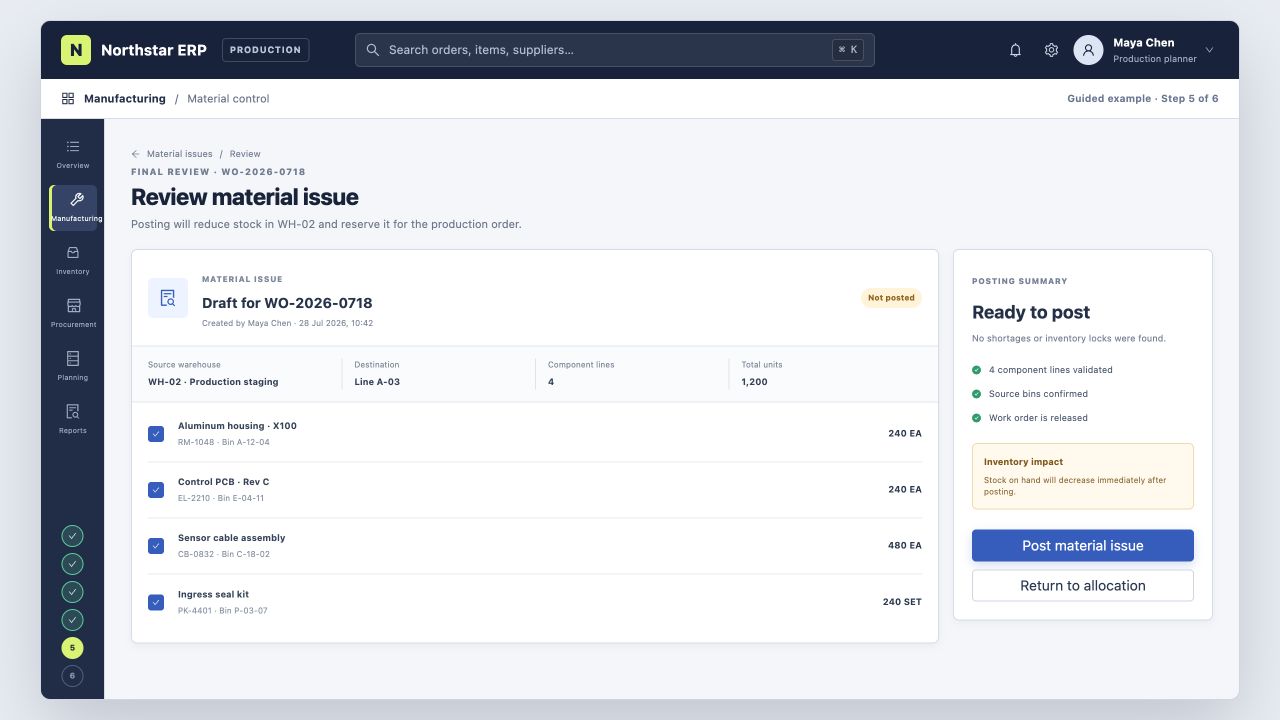
Review and post
Verify the warehouse, destination, quantities, and inventory impact before posting.
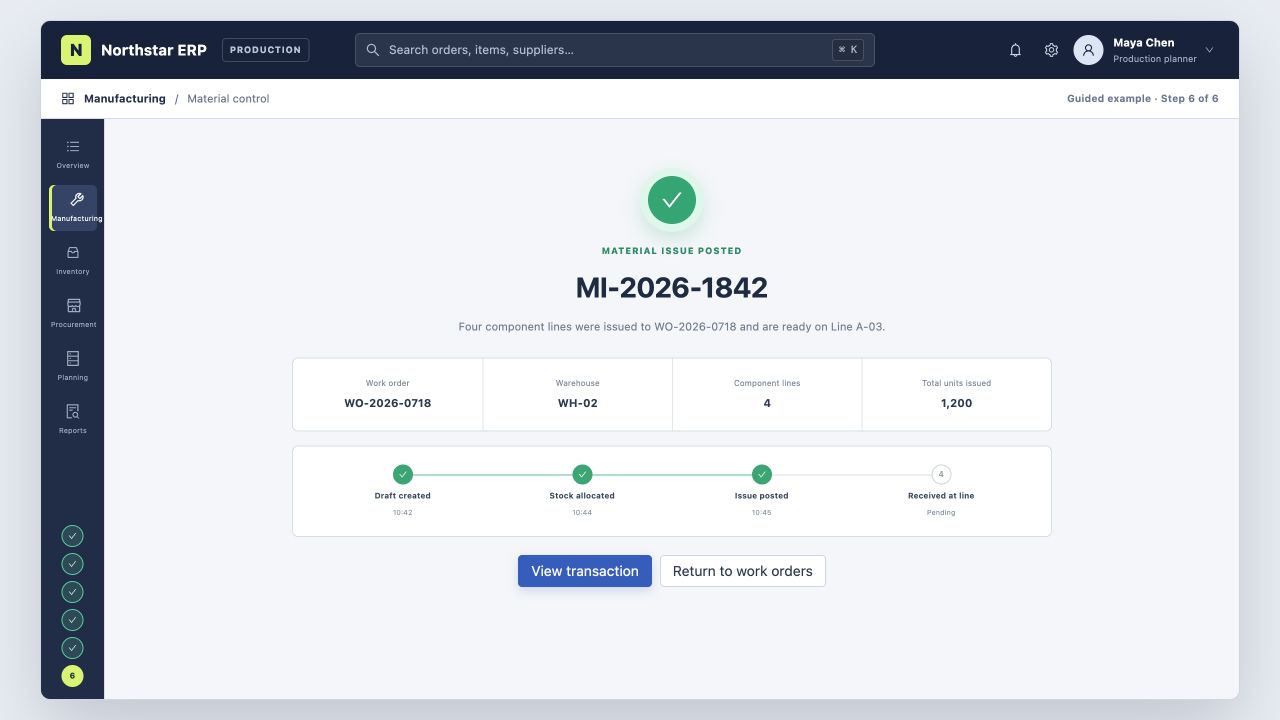
Confirm the transaction
The ERP creates MI-2026-1842 and records the stock movement to Line A-03.
CRM customer handoff
Document lead conversion, account creation, and owner assignment.
Purchasing and inventory
Document purchase requests, receiving, stock entry, and inventory checks.
New-hire system training
Turn routine back-office procedures into standardized training material.
Document procedures across the systems your team uses
Record browser-based procedures directly, or import a recording when the workflow spans desktop software or multiple applications.
Collaboration / Internal operations
Microsoft 365, Google Workspace, Slack, Notion, Confluence, Jira, ServiceNow, Asana, monday.com
ERP / Finance / Procurement
SAP S/4HANA, Oracle NetSuite, Microsoft Dynamics 365 Finance, Workday Financial Management, Sage Intacct, QuickBooks Online, Xero, Coupa
Manufacturing / MES / Supply chain
SAP Digital Manufacturing, Microsoft Dynamics 365 Supply Chain Management, Oracle Fusion Cloud Manufacturing, Epicor Kinetic, Infor CloudSuite Industrial, Plex Smart Manufacturing Platform, Odoo Manufacturing
CRM / Sales / Customer support
Salesforce, HubSpot, Microsoft Dynamics 365 Sales, Zoho CRM, Pipedrive, Zendesk, Freshdesk, Intercom
WMS / E-commerce / Order operations
SAP EWM, Oracle Warehouse Management, Manhattan Active WM, Blue Yonder WMS, Körber WMS, Shopify, WooCommerce, ShipStation
Workflows this format supports
Designed for repeatable system procedures with clear steps, especially those used for daily operations, training, and process handoffs.
- Browser-based procedures can be recorded directly.Clicks, inputs, and page changes are used to create the initial steps and screenshots.
- Cross-application procedures can be imported from a recording.Record the task first, then convert it into an editable Flow.
Create a process manual from your own system
Complete the procedure once, review the generated content, and update any details before sharing the manual with your team.